ArchiGram.ai — Generate Architecture Diagrams from Text with AI
ArchiGram.ai is an AI-powered tool that turns plain-text architecture descriptions into clear system diagrams — helping engineers and architects communicate ideas faster without manual diagramming.


ArchiGram.ai helps software architects and engineers turn plain-text system descriptions into clear architecture diagrams using AI. Faster than manual diagramming.
ArchiGram.ai — Turning Architecture Ideas into Diagrams with AI
If you’ve ever tried to explain a system architecture in words, you know the pain.
You start with:
“There is an API gateway… then some microservices… a database… async events…”
And five minutes later, someone asks:
“Can you just draw it?”
ArchiGram.ai was built exactly for this moment.
👉 https://archigram-ai.vercel.app
It’s an AI-powered tool that helps you turn plain-text architectural descriptions into clear, structured diagrams — without opening Miro, Draw.io, or spending time manually aligning boxes and arrows.
Why ArchiGram.ai exists
Modern systems are complex:
- microservices
- async messaging
- event buses
- external APIs
- databases, caches, queues
We think in architecture, but we communicate with diagrams.
The problem is that diagrams are:
- slow to create
- annoying to keep up to date
- often outdated the moment the system changes
ArchiGram.ai flips this flow.
Instead of drawing first, you describe first — and let AI handle the visualization.
How it works (conceptually)
- ArchiGram.ai interprets that description
- You get a structured architecture diagram that reflects components and relationships
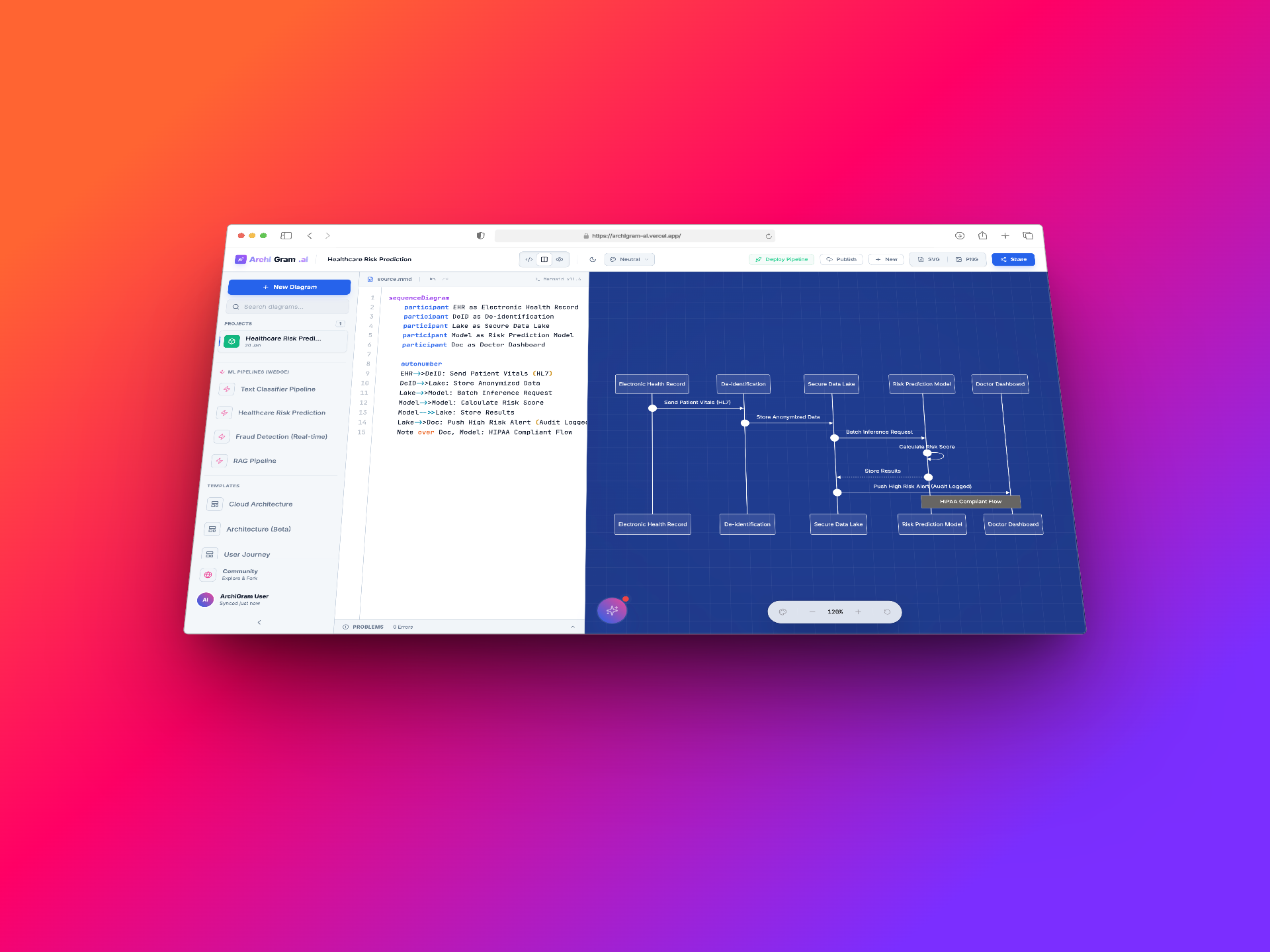
You describe your system in text
Example:
“Users call an API Gateway, requests go to Auth and Billing services, data is stored in PostgreSQL, events are published to Kafka…”
The result is something you can:
- discuss with your team
- put into documentation
- use in design reviews
- refine as your system evolves
What makes this approach powerful
Text is versionable.
Text works perfectly with Git, PRs, reviews, and history.
Text is fast.
It’s much quicker to update a sentence than redraw a diagram.
Text scales.
As systems grow, text descriptions remain manageable — while diagrams often turn into unreadable spaghetti.
ArchiGram.ai builds on this idea:
Architecture should start as text — diagrams should be generated, not hand-drawn.
Who this is for
ArchiGram.ai is especially useful for:
- Software architects
Quickly express and iterate on system design ideas. - Backend & platform engineers
Visualize microservices, data flows, and integrations. - Tech leads & CTOs
Explain architecture decisions clearly to teams and stakeholders. - Documentation-driven teams
Keep diagrams aligned with reality, not outdated screenshots.
Not “just another diagram tool”
Traditional tools like Miro, Draw.io, or Lucidchart are great — but they are manual.
You still need to:
- drag boxes
- draw arrows
- rename things
- fix layout every time something changes
ArchiGram.ai focuses on a different layer:
architecture intent, not pixels.
You describe what the system is, not how the boxes are aligned.
Built for experimentation and speed
ArchiGram.ai is deployed on a modern, serverless stack and is designed to be:
- fast
- lightweight
- easy to experiment with
It’s not about replacing architects — it’s about removing friction between ideas and clear communication.
The bigger picture
Tools like ArchiGram.ai point to a bigger shift:
- Architecture as text
- Diagrams as generated artifacts
- Reviews and discussions happening around intent, not screenshots
This is especially important in an era where systems evolve fast and documentation is often the first thing to fall behind.
Try it yourself
If you work with system design, architecture, or technical documentation — just try describing your system and see how it feels.
👉 https://archigram-ai.vercel.app
Sometimes, the fastest way to draw a diagram…
is to not draw it at all.